
One of the most common questions I see from new Pinterest managers is: How do you actually structure your day when working with clients?
If you’re new to Pinterest management, it can feel overwhelming trying to balance client work, admin tasks, and your own business growth – without working 12+ hour days.
So today, I’m giving you a behind-the-scenes look at how I personally manage my Pinterest clients, batch my tasks, and create a workflow that’s efficient but flexible.

This post may contain affiliate links. When you make a purchase, I make a commission at no extra cost to you.
Page Contents
ToggleMonthly Planning & Batching Client Work
Before I dive into my daily schedule, let’s talk about monthly planning.
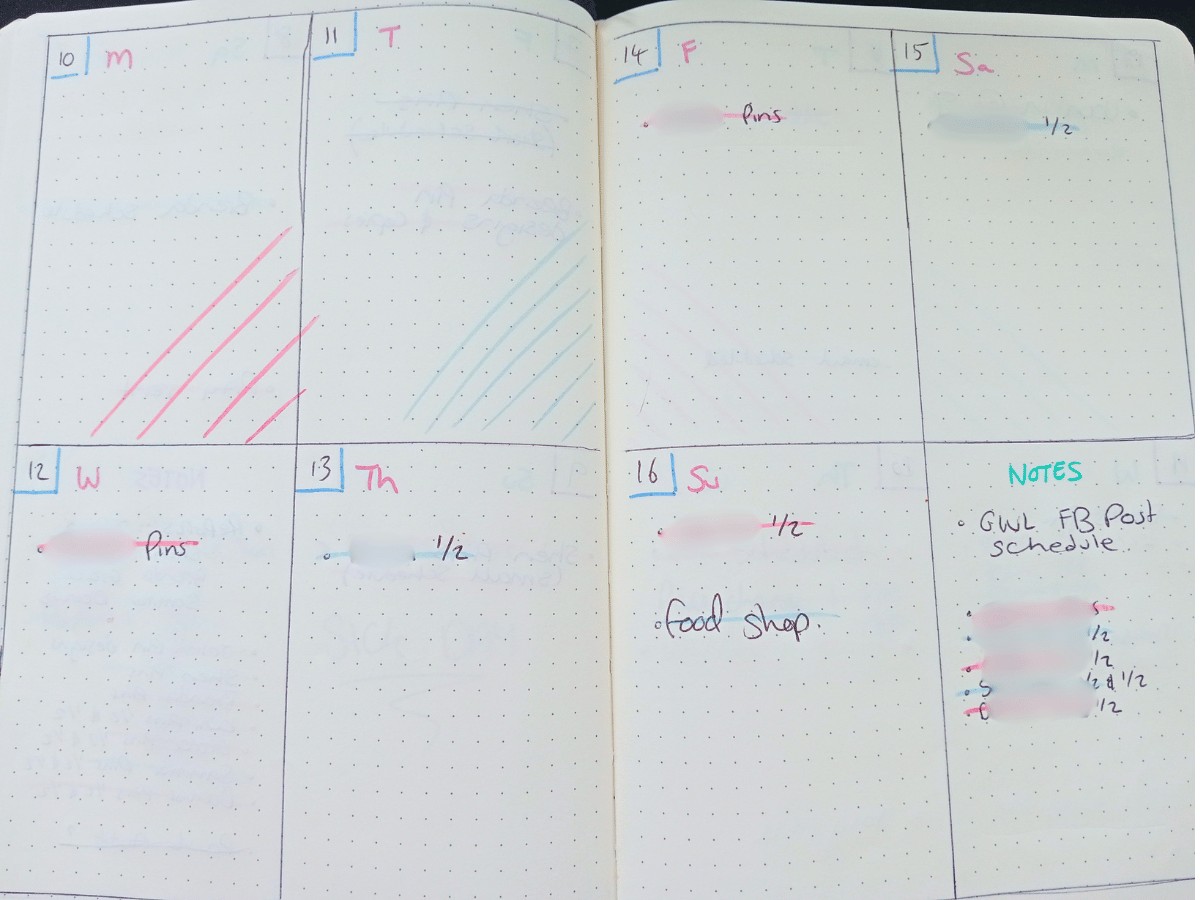
At the start of each month, I sit down with my handwritten journal (yes, the old-school kind) and map out my workload.
In the ‘notes’ section of week one, I list out all of my clients & tasks I have to do for them.
I used to batch by task type – meaning I’d do all keyword research for all clients before moving on to all pin creation etc. But over time, I realised my brain works better focusing on one client at a time from start to finish. It was more efficient for me and actually sped up my process.
Now, I batch work by client instead of by task. That means:
✔ I complete keyword research, pin design, scheduling, and analytics tracking for one client each day, before moving on to the next.
✔ I dedicate the 5th of every month for client reports and check-ins, ensuring they always have updated performance insights.
I’ll then look at that list and write out a client per day. I tend to prioritise the clients that have the least amount of work first so that I can cross more off my list at the start of the month.
Some of my clients produce a lot of content, so we do ½ at the start of the month, and ½ at the end.
Once I’ve finished planning it out, each week will have a main list ‘to do’, which might include some off jobs outside of client work, then various days filled in with the actual clients and tasks I’m going to do.
As I work through it, I’ll cross it off on the daily and main to-do list, and if something doesn’t get done it gets rescheduled onto the following week.
I used to try and cram as much into a work day as possible to get things finished, but this led to being mentally exhausted.
Now I space things out and I’m mentally more capable to deal with changes in a schedule, and knowing where I can add more clients or tasks to a week.
💡 If you’re struggling with client management: Try both batching styles (by task vs. by client) and see which feels more efficient for you.
A Typical Workday as a Pinterest Manager
My Mornings: Easing Into Work Mode
I usually start my mornings with a 30-60 min walk with my dog, Lilly.
This is my time to get outside, clear my head, tire Lilly out and get ready for the day ahead.
After breakfast, I ease into work mode around 10 AM.
First Task of the Day: Checking my to-do list and prepping
✔ Reviewing analytics for any major shifts in traffic (when needed)
✔ Responding to client emails/messages
✔ Opening up relevant client data sheets
Morning Work: What Pinterest Client Work Looks Like
Each day, I focus on one client’s account, and the work varies based on their package. Here’s what this typically includes:
1. Pulling URL’s & Fresh Keyword Research
I start by gathering the ULRs that need pins creating for client #1.
Some clients send me their own lists, for others I have to go through our content list and gather ones according to the trends/seasons that we’re targeting.
I then analyse Pinterest trends and SEO data to find new, high-ranking keywords for the content.
💡 Tip for beginners: Use tools like Pinterest Trends or Pin Inspector to identify seasonal trends and relevant keywords.
2. Writing Pin Titles & Descriptions
Once I have my keywords, I’ll write my titles & descriptions and track them within the client data sheet.
Pinterest SEO is all about strategic keyword placement in pin titles and descriptions. I make sure every pin has:
✔ A keyword-rich title
✔ A natural, engaging description (without sounding robotic!)
✔ A clear CTA (e.g., “Click to read the full guide!”)
.
Want to learn my exact Pinterest SEO strategy? Check out this Pinterest Strategy Course.
3. Pin Design & Content Creation
I design 30-50 fresh pins per client each month, testing different styles to see what performs best.
I like to do the pin designs in Canva after keyword research so I can include some within the pin designs.
.
Midday Reset & Managing Multiple Clients
By 12 or 1 PM, I take a break for lunch.
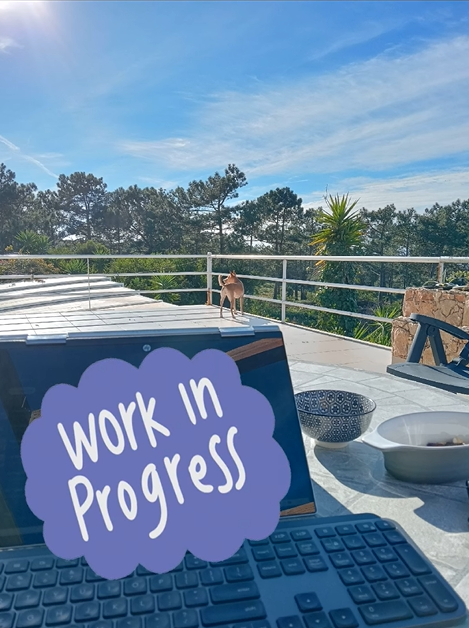
If the weather’s nice, I’ll take my laptop outside and schedule pins while soaking up some sun.
📌 Managing multiple clients? Instead of bouncing between accounts all day, try this structure:
✔ Monday-Wednesday: Client work (batching one client per day)
✔ Thursday: Marketing your own business (blog posts, networking)
✔ Friday: Admin tasks, invoices, contracts, and client check-ins
.
Wrapping Up My Workday
When we work for ourselves, and work from home, it becomes really hard to split work and home life. With a normal 9-5, we have structured breaks and clock off at a set time then go home and forget about work until the next day.
Trying to create this structure in your work from home business will make a huge difference in your productivity and mental health because rest is super important!
So these days, I aim to finish client work by 3 or 4 PM instead of jumping straight into more work and pushing through the evening like I used to (which, trust me, is a fast way to burn out).
I then try to take a full hour to do something that’s just for me and lets me switch off from work and life for a little bit. I say try because I’m still not perfect at this, but I’ll get there!
For me, that hour looks different depending on my mood;
That might be:
✔ Swimming
✔ Reading
✔ Tending to my plants
✔ Another walk
Think about things you enjoy and are preferably screen free and involve some movement.
This small end-of-day ritual prevents burnout, supports a healthy mindset and keeps my work sustainable.
.

How Do I Fit In One-Off Clients?
One-off services are becoming increasingly popular as more and more people want to learn how to DIY their Pinterest strategy. It can feel tricky to fit these into your work week, but it is possible.
What I’ve done is made my audits and optimisations a month-long service to give myself time to do the jobs gradually (something that’s beneficial for Pinterest too!)
I’ve then created a document that breaks down my process (plus a written copy in the back of my journal).
When I have a one-off client sign up I will write their name and tasks into my ‘to-do’ list and fit them in accordingly, working on one task at a time – crossing it off when it’s done.
As you get more clients and repeat each task more often, you’ll begin to learn how much time each task takes. Until then, it’s best to over estimate.
You can use tools like Toggle to track your time (for your own benefit) and help you tweak your scheduling.
Final Thoughts: How to Structure Your Own Pinterest Manager Workday
If you’re just starting out, your routine won’t look exactly like mine – and that’s okay.
Here are a few key takeaways to help you structure your own workflow:
✔ Batch work in a way that fits your brain. (By task or by client—test both!)
✔ Set aside specific days for reporting & admin tasks.
✔ Create structured “client check-in” slots so you’re not constantly switching between accounts.
✔ Make time for yourself! (Even just 30 mins of “me time” makes a huge difference.)


Stuck On Pinterest?
Get our Free Pinterest Checklist & learn how to properly
optimised your account!
Thank you!
Before you recieve your Pinterest checklist, please check your inbox to confirm your email address
